Everything is digitalized in the present age, from ordering groceries to booking a cab, and everything in between. Going to the bank in person just to cash your check doesn’t make sense in this digital era.
Do you know that a study revealed that more than 6 million households are unbanked and depend on alternative financial services, like cash checking apps? And most apps use Ingo Money to cash a check instantly, but it’s quite expensive (upto 5% per check). It also has a lot of verification hurdles that make it slow and don’t give instant access to funds.
What if you want cash urgently and your favorite check cashing app isn’t on the table?
Frustrating! Right? We understand.
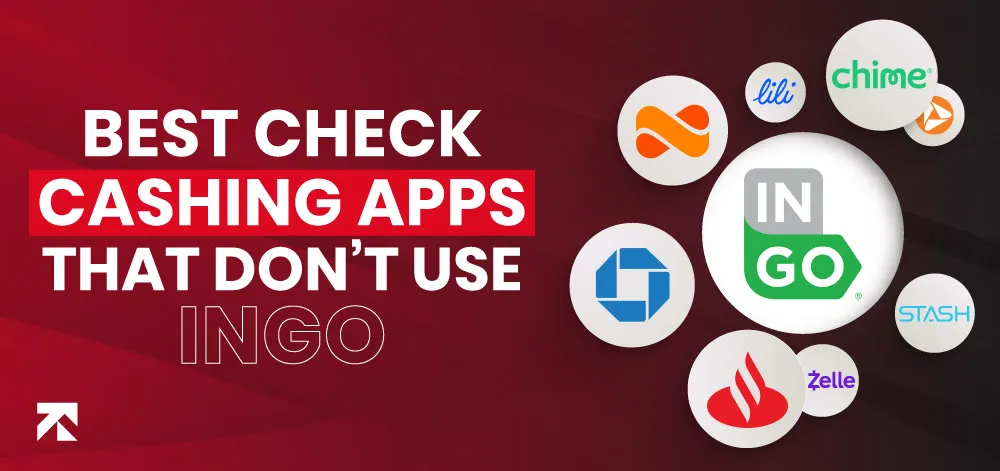
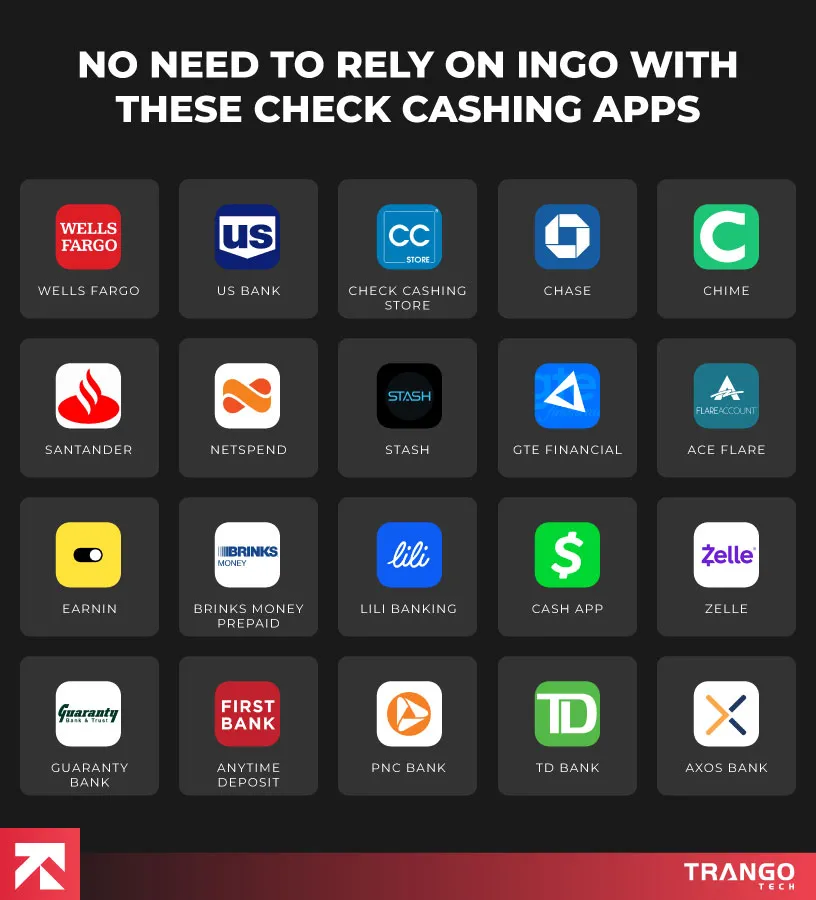
It means there must be reliable, quick alternatives that allow you to cash a check online instantly without Ingo. With multiple options available, we’ve gathered the top 20 cash checking apps that don’t require Ingo in 2026.
Table Of Contents
20 Best Cash-Checking Apps that Don’t Use Ingo in 2026
Want to cash a check online instantly without Ingo? You can opt for any of the apps discussed below according to your needs.
1. Wells Fargo App
Google Playstore: 4.8/5 | Apple Store: 4.9/5
The Wells Fargo mobile app allows you to cash your check immediately without the need for Ingo. It’s an easy-to-use and trustworthy app for same-day check deposit.
With strong security features, this is one of the safest choices. You just need to have a Wells Fargo account to avail the no-verification services.
But if you’re looking for a cash check online without having a bank account, then this may not be a good option for you.
However, it offers existing customers a fast, smooth way to deposit checks online instantly without third-party processing delays.
Pros:
The monthly fee waiver is easy to manage.
It offers a wide range of services, including personal & business banking, cashing checks, and investment options.
Instant cash checking for existing customers
No delays due to third-party
It offers secure transactions.
Cons:
Need a traditional bank account
Often require minimum daily balance
It may take 1-2 business days for funds availability and even longer for larger checks
Requires
10.0 and Up (Android) 15.0 and Later (iOS)
Size
30 MB (Android) 303.1 MB (iOS)
2. US Bank App
Google Playstore: 4.5/5 | Apple Store: 4.8/5
The US Bank App is just like a one-stop shop for managing your finances on your smartphone. It doesn’t need Ingo money for checking cash, a built-in cash deposit feature, or other banking services.
People with accounts don’t have to worry about the verification process. The app is user-friendly, with cash available the same day.
The best part about this app is that you don’t need to pay a monthly fee. It allows you to make monthly direct deposits of at least $1000.
Requires
9.0 and Up (Android) 15.0 and Later (iOS)
Size
167 MB (Android) 217.7 MB (iOS)
3. The Check Cashing Store
Google Playstore: 3.2/5 | Apple Store: 2.4/5
It is also one of the instant check cashing apps that allows you to cash a check instantly from your phone. It gives you options either to collect the cash or get it loaded onto the prepaid card.
With this app, you can cash a check online within minutes. This platform is quite popular in Florida and has many branches there.
Pros:
Allows instant check cashing online without ingo.
It allows you to transfer money, apply for business loans, and use prepaid card services.
No need to rely on the traditional banking system.
Requires
5.0 and Up (Android) 11.0 and Later (iOS)
Size
30 MB (Android) 303.1 MB (iOS)
4. Chase App
Google Playstore: 4.6/5 | Apple Store: 4.8/5
Chase App is an instant online check-cashing app with multiple helpful features, including QuickDeposit and Quickpay, routing and account number checks, location services, and financial reporting.
The app is safe to use and often provides same-day cash crediting. Create your account in the Chase app, and rest assured, it is safe and secure, with fraud monitoring.
You can easily view all your Chase accounts on the app’s clean dashboard, like credit cards, savings, and investments.
Pros:
Multiple security features like face recognition, fingerprint login, and fraud monitoring.
User-friendly app
Quick check processing
Cons:
Only for Chase account owners
Low interest on the savings account compared to local banks
Requires
10.0 and Up (Android) 15.0 and Later (iOS)
Size
30 MB (Android) 395.1 MB (iOS)
Ready to Create a Scalable Check Cashing App in the USA?
Partner with the leading mobile app development company to make your mark.
5. Chime App
Google Playstore: 4.6/5 | Apple Store: 4.8/5
It’s also one of the best instant check cashing apps that don’t use Ingo, allowing you to check cash instantly without any cost.
Just take a picture of your paper check and deposit it through the app. If you’re looking for a cash checking app without verification, then go for it without a doubt.
Requires
8.0 and Up (Android), 14.0 and Later (iOS)
Size
186.5 MB (Android), 195.5 MB (iOS)
6. Santander Mobile Banking App
Google Playstore: 4.8/5 | Apple Store: 4.7/5
Santander is also one of the popular instant check cashing apps that don’t use Ingo, especially in the USA. Once you sign up with Santander, you can cash a check online instantly without ingo.
Their mobile banking app lets you check your cash balance online instantly with less effort. Its services are only available to Santander bank account holders.
Pros
Operates in 420 branches, especially in the North East
Requires
8.0 and Up (Android) 15.0 and Later (iOS)
Size
108 MB (Android) 110.7 MB (iOS)
7. NetSpend
Google Playstore: 4.7/5 | Apple Store: 4.8/5
It’s a financial services app popular for its prepaid debit cards and convenient check-cashing features. It’s easy to access, as you can load your money directly onto the Netspend prepaid card.
It also supports bill payment, transaction monitoring, and budget management. It’s a great option for those who want instant check cashing apps that don’t use Ingo and prefer prepaid choices over traditional bank accounts.
Requires
6.0 and Up (Android) 13.0 and Later (iOS)
Size
42.48 MB (Android) 71.1 MB (iOS)
8. Stash
Google Playstore: 3.4/5 | Apple Store: 4.7/5
It’s a great choice for beginners looking for instant check cashing apps that don’t use Ingo, as it makes managing money and investing easier. It’s like a one-stop shop with all the features, including banking, investing, and retirement.
All these features in just a single, simple app make it a preferred choice for someone with little financial experience.
Pros:
Easy-to-use app makes finance management simple.
It also offers kid accounts, making it family-friendly.
FDIC-insured accounts with no overdraft fees
Cons:
A monthly subscription fee ranges from $3 to $9.
No advanced features or financial planning available
GTE is a credit union platform that offers multiple financial services and is one of the known instant check cashing apps that don’t use Ingo. This platform focuses on member satisfaction.
If you’re living in Florida, go for it; it’s also an amazing choice for someone who prefers a credit union to a traditional bank.
Pros:
Provides personalized services
Fast cash encashment
Fees for check cashing are lower than those of others.
Cons:
Availability is limited to certain locations.
Longer waiting time for non-members.
Some deposit limits may be inconvenient for larger checks.
10. ACE Flare
Google Playstore: 4.2/5 | Apple Store: 4.8/5
Try the Ace Flare account by Meta Bank If you’re in hunt for check cashing apps that don’t use Ingo. It is specifically designed for prepaid bank users who want quick access to the deposited check. This app also allows users to access multiple account management features.
Furthermore, it also gives funds from paychecks or government benefits two days early, as compared to traditional banking.
Pros:
You can easily manage your account and check your balance.
Earn upto 5% interest on your savings balance.
Withdrawals up to $400 are available for people with direct deposits.
Cons:
The monthly fee is applicable if you don’t meet the direct deposit requirements.
You may have to visit the ACE Cash Express location to deposit a check.
Requires
6.0 and Up (Android) 13.0 and Later (iOS)
Size
42.48 MB (Android) 70.9 MB (iOS)
Looking for a Professional Mobile App Development Company?
Let us experts be the game-changer for your financial business today!
11. EarnIn
Google Playstore: 4.7/5 | Apple Store: 4.7/5
It’s a great check-cashing app that doesn’t require verification for qualified users. It also gives users early access to paychecks.
You can link it to your bank account, and it’ll let you know how many days you have been working and give you instant access to a portion of your earned income.
Requires
7.0 and Up (Android) 14.0 and Later (iOS)
Size
77.5 MB (Android) 185 MB (iOS)
12. Brinks Money Prepaid
Google Playstore: 4.2/5 | Apple Store: 3.2/5
Brink Money prepaid is a convenient option for users who don’t have a standard bank account, as it offers check cashing directly into a prepaid card.
It also allows you to transfer funds, gives ATM access, and provides account monitoring. It is a known name when it comes to safety, as it provides an extra layer of safety.
Pros:
Instant check cashing is available.
Direct deposit feature to allow you to access the funds
Enhanced security features like encryption and account alerts to protect users’ information.
Cons:
Their prepaid Mastercard has multiple fees, including monthly fees, ATM withdrawal fees, and transaction fees.
It has limited banking features compared to other apps.
Requires
6.0 and Up (Android) 13.0 and Later (iOS)
Size
42.48 MB (Android) 71.3 MB (iOS)
13. Lili Banking
Google Playstore: 4.2/5 | Apple Store: 4.6/5
Lili Banking is created specifically for freelancers and independent contractors who want to cash a check online in minutes.
The whole check-cashing app is simple and tax-friendly. You can also deposit a check online instantly, helping gig workers to be informed about their finances without the need to go to the bank physically.
Pros:
No monthly or overdraft fees
Instant check cashing without a bank account
Offers mobile deposits
Real-time transaction tracking
Cons:
Not ideal for entrepreneurs and large-scale businesses
Requires
7.0 and Up (Android) 14.0 and Later (iOS)
Size
60 MB (Android) 92.4 MB (iOS)
14. Cash App
Google Playstore: 4.2/5 | Apple Store: 4.8/5
It is a highly reputable instant check cashing app that has different features offering the best financial services.
With it, you can deposit checks online instantly, and have a user-friendly interface that makes it easy for users to deposit checks directly into their Cash App balance. You can also deposit paper checks by taking their images from both sides.
Pros:
Allows depositing checks online instantly
This platform is widely available.
Cons:
The deposit fee is quite high compared to others.
It needs detailed verifications that can be time-consuming.
Requires
7.0 and Up (Android) 15.0 and Later (iOS)
Size
88.1 MB (Android) 301.1 MB (iOS)
15. Zelle
Google Playstore: 3.0/5 | Apple Store: 4.8/5
With Zelle, you can deposit checks instantly and send and receive money on your mobile phone.
Several small-scale and big banks use Zelle in their apps. It’s very simple to use; you just need to click images of both sides of your check using Zelle’s camera. It offers instant or expedited cash checking services for a fee.
Pros:
Allows check deposits and funds transfer instantly.
Requires
11.0 and Up (Android) 15.0 and Later (iOS)
Size
89.45 MB (Android) 71.1 MB (iOS)
Do You Have an Idea but Need Development Assistance?
No problem! Get your check cashing app developed with us today.
16. Guaranty Bank
Google Playstore: 4.5/5 | Apple Store: 4.9/5
It’s a great choice if you want an option to deposit checks quickly and effectively. You can easily deposit checks electronically, and it allows easy access to funds in the account once verification is completed.
Go for it if you want an instant check-cashing app; it also saves you from the hassle of visiting the banks.
Pros:
You can deposit checks anytime and anywhere.
No verification required for instant check deposits
Requires
11.0 and Up (Android) 15.0 and Later (iOS)
Size
66.5 MB (Android) 71.1 MB (iOS)
17. Dave App
Google Playstore: 3.2/5 | Apple Store: 2.5/5
Dave app is a popular online check-cashing app, allowing you to deposit checks online instantly. It also gives access to your earned money quickly and even creates credit.
It has received a very good rating on Google Play and got a good score on App Store as well. It shows that it is appreciated by customers, especially because of its transparency and speed.
Pros:
Helpful for gig workers
Allows depositing checks online instantly
There are no overdraft fees.
Cons:
Users may have to leave a tip.
Users may have to pay 5% of the advance amount and 1.5% for instant express delivery.
The PNC mobile bank app is also one of the cash checking apps that doesn’t use Ingo. It allows users to deposit their checks with just one picture and access the funds.
It also offers multiple other features, including saving facilities, budgeting tools, and integrated financial insights. However, the deposit limit may vary depending on the account type and history.
Requires
6.0 and Up (Android) 15.0 and Later (iOS)
Size
53.4 MB (Android) 254.9 MB (iOS)
19. TD Bank
Google Playstore: 4.3/5 | Apple Store: 4.8/5
It is also a great check-cashing app for both account holders and non-holders. It’s a convenient option for someone who wants to cash the check online.
You can deposit the check within just a few simple taps from your phone without visiting the branch. It also offers other financial management options such as bill management, money transfer, and insights into spending.
Pros:
It doesn’t require minimum opening deposits on bank accounts.
Account holders do not have to pay any fees for cashing checks in a branch.
Mobile check deposits and ATM deposits are available.
Cons:
Higher fees for non-customers
The savings account option is available in certain states in the USA.
Requires
9.0 and Up (Android) 16.0 and Later (iOS)
Size
78.25 MB (Android) 228.4 MB (iOS)
20. Axos Bank
Google Playstore: 4.0/5 | Apple Store: 4.7/5
Try this if you want to deposit or cash the check quickly. Users can easily deposit checks via their smartphone camera.
You just need to click a picture of your check from front and back, verify the details, and submit it for processing. After processing, funds are available in your account in a short amount of time.
Pros:
Doesn’t charge monthly for its checking account
Access to unlimited domestic ATM fee reimbursement
Has strong encryption and security features.
Cons:
The app may face occasional delays in funds availability.
You may need to visit the branch for high-value checks.
The check-cashing feature is only available for account holders.
Requires
6.0 and Up (Android) 11.0 and Later (iOS)
Size
105 MB (Android) 322.4 MB (iOS)
Why Do You Need Check Cashing Apps Without Ingo?
Ingo-based services are quite expensive, with limited flexibility and slow deposits. That’s why you need a check-cashing app that doesn’t use Ingo.
It also has multiple other benefits, which are mentioned below:
Fast access to funds: A check-cashing app without Ingo offers faster access to funds.
Lower Fees or no fees: Apps that do not use Ingo usually have low fees or no fees at all.
Flexibility in check deposits: Apps without Ingo allow various methods for check deposits.
Better Experience: Easy-to-use apps with 24/7 availability.
No need for Prepaid Cards: Many check-cashing apps, without Ingo, allow you to cash a check directly into your bank accounts.
Integration with personal banking account: Apps without Ingo often allow you to integrate with a personal bank account.
Security & Privacy Benefits: Check-cashing apps that don’t use Ingo are more secure, even some with additional security features like two-step verification, etc.
No account Restrictions: Many apps that don’t use Ingo are less restrictive, allowing a wider range of checks to be processed.
Easier Onboarding Process: They also have an easier onboarding process for new users.
Tips for Successfully Cashing Your Check Online
Here are some tips to check cash online in minutes without the hassle.
1. Choose the Right App or Service:
The first step is to find a reliable check-cashing app that fulfills your requirements. Research the apps and read customer reviews and feedback to make sure you’re choosing the correct platform.
2. Ensure Your Check is Eligible:
Verify if your check is eligible or not beforehand because some apps restrict certain types of checks. You can also reach out to the app’s support team to clarify this matter.
3. Take clear photos of your Check:
To avoid rejection, use a clear background and click a clear picture of the front and back sides of the check.
4. Sign your Check Correctly:
Make sure you’ve signed your check correctly before uploading.
5. Double-check your Information:
Before trying to cash your check online, make sure that all the information is correct, including that the amount entered on the app matches the amount on the check.
6. Deposit Within the Limit:
Many online check-cashing apps have deposit limits. Understand the daily and monthly limits of your app before checking cashing to avoid any inconvenience.
7. Consider the Fees and Timings:
Many Cash checking apps allow instant or next-day deposits with a certain amount of fees depending on the app and check amount.
8. Be Cautious of Scams:
Remember that there can be some potential scams while cashing checks online. So make sure you’re using a genuine and authorized app with secureand encrypted services.
9. Stay Organized:
Make sure to keep a track of your transaction history after cashing your check. This will help to save you from any issues later on, such as disputes with deposits or delays in accessing your funds.
Partner with Trango Tech to develop a Check Cashing App
With the rise in digital banking, most consumers today want an alternative financial solution, and check-cashing apps allow users to access funds without the need for a bank account.
According to a report, the Global Check Cashing Market was valued at USD 44.3 billion in 2023, and it is expected to reach a market value of USD 63.4 billion by 2033 at a CAGR of 3.6%.
These numbers clearly depict that there are significant opportunities present in the check cashing market. The check-cashing market is growing significantly, and it is expected to grow further in the future.
It means that this is a great time to invest in the check-cashing apps that don’t use Ingo. If you’re also planning to do so, reach out to us today.
Partner with Trango Tech today and turn your ideas into a revenue-generating means. Our expert app developers will walk you through each step clearly, making your decision worthwhile.
Frequently Asked Questions
Where can I cash a check instantly without Ingo?
Many check-cashing apps work without Ingo. Such apps include Wells Fargo, US Bank mobile app, Tash, Anytime Deposit, Ace Flare, Zelle, and many more.
Can I cash a check instantly?
Yes, many check-cashing apps allow you to deposit a check online instantly, and in some cases, funds are available instantly. But the availability of cash may be affected by the type of check, account history, and verification process.
Do I need a bank account to use check-cashing apps?
No, it’s not necessary all the time, as it depends on the app choice. Apps like Netspend, Chime, and Brinks Money work with prepaid cards and digital wallets, allowing check cashing without the need for a traditional bank account.
What is the fastest app to cash a check without Ingo?
You can use Dave, Chime, and Cash App for fast check cashing. Traditional banking applications like Wells Fargo or Chase can also provide instant deposit depending on your eligibility.
How much does it cost to create a check-cashing app?
The cost of creating a check-cashing app depends on multiple factors, like the app’s features, design complexity, choice of platform (iOS, Android, or both), and the development team’s location.
On average, a basic app with standard features may cost between $30,000 to $ 50,000. For an app with more advanced features, the cost can range from $70,000 to $150,000 or more.
Rida Shahzad is a business graduate and seasoned content writer at WareGo, where she transforms complex concepts into clear, actionable content. With a strong background in creating how-to guides, conversion-focused content, and technical documentation, Rida excels at bridging the gap between advanced technology and real-world business needs. Off the page, she’s a curious mind with a love for ancient history, tech trends, and creative sketching.


















 With Zelle, you can deposit checks instantly and send and receive money on your mobile phone.