With 20+ years of expertise, I will dive deep and compare Maya vs. Blender across every important factor.
Read on to find out more.
Table Of Contents
Maya vs Blender Explained
What Is Maya?
Autodesk Maya is a professional 3D software. It is widely used in film production, AAA game development, and large-scale animations. Developed by Autodesk, Maya has long been considered the best choice for high-end animation and rigging.
What Is Blender?
Blender is a free, open-source 3D creation suite. It has grown massively in power and popularity over the last few years. With all in one package, it supports modeling, sculpting, animation, VFX, compositing, and even video editing.
Maya and Blender Quick Comparison
The 3D industry looks quite different from what it was five years ago. Games these days look indistinguishable from reality.
Meanwhile, solo creators are building entire cinematic universes. In the middle of this, all they struggle with is deciding between Maya and Blender.
Frankly speaking, both of them are powerful. Both are respected. But only one may align better with your goals.
Below is a quick Blender vs Maya comparison to help you make the right choice:
Feature
Autodesk Maya
Blender
Pricing
$1,800/year (Indie license available)
Free / Open Source
Best For
AAA Studios, Film, TV
Indie Devs, Freelancers, 3D Hobbyists
Modeling Tools
Powerful and production-ready
Fast, intuitive, modifier-based workflow
License
GNU GPL
Commercial software
Ease of Learning
Steeper learning curve
More beginner-friendly
Community Support
Enterprise-level support
Massive global open-source community
Platform
Linux, Mac OS X, Windows
Linux, Mac OS X, Windows
Pipeline Integration
Excellent for studio pipelines
Flexible but may need customization
System Requirements
Optimized for production setups
Runs well even on mid-range systems
Customization
Scriptable
Highly customizable
Still don’t know what to use between Maya and Blender?
Hire our game app developers for an end-to-end expertise.
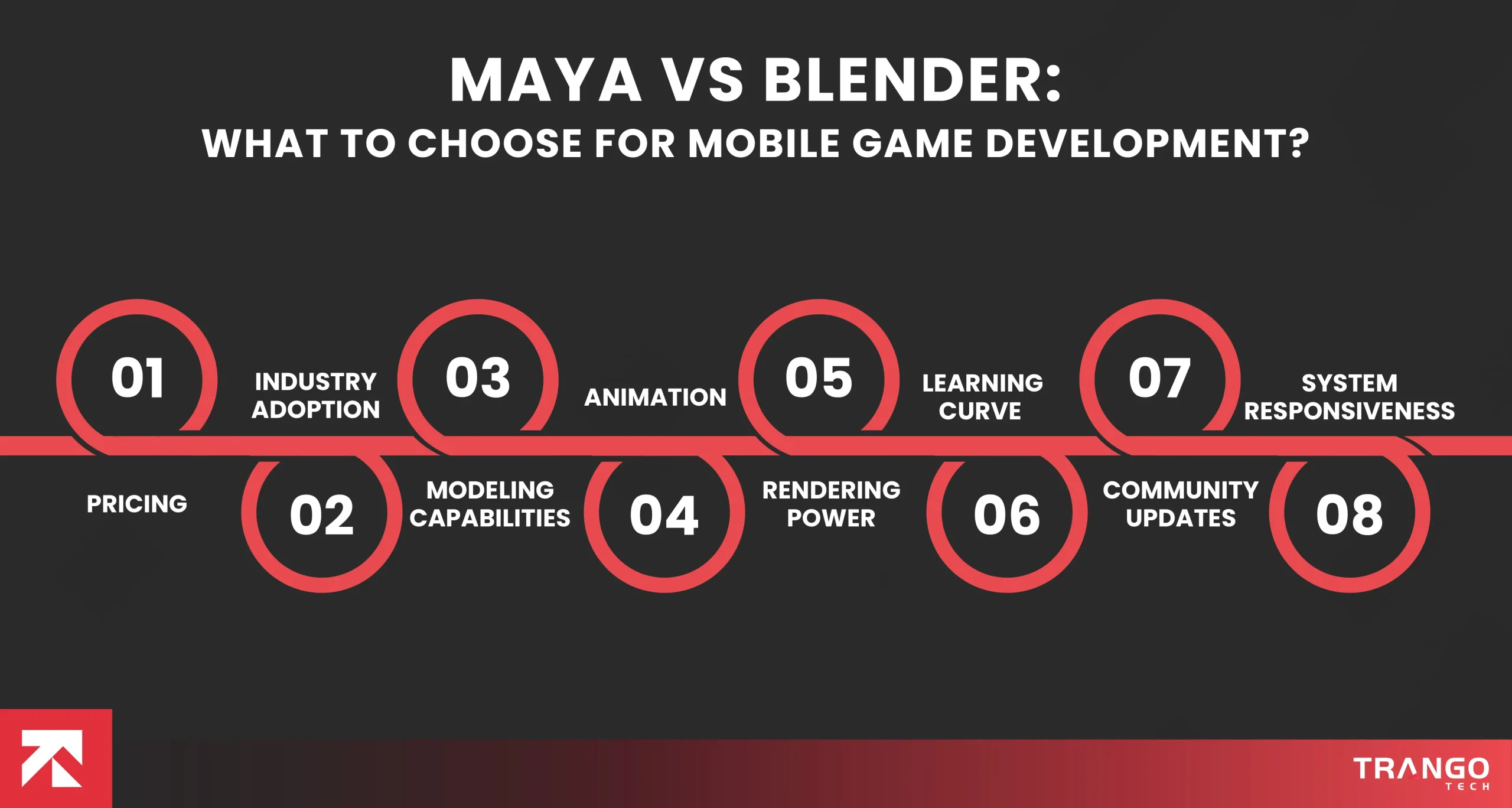
Maya vs Blender: What to Choose for Mobile Game Development?
1. Pricing
When it comes to pricing, Blender is completely free. No subscriptions. No hidden costs. You download it and start working immediately. This is a truly tremendous advantage for solo creators and newbie studios.
At the same time, Maya operates on a paid subscription model. With a high initial outlay, it can feel like a lot for an individual. Although large development studios usually cover employee licensing.
To be precise, for a business or an individual working with a low budget, Blender has an unmatched value as a free tool.
2. Industry Adoption
Maya remains a dominant choice among large film studios and AAA game development firms.
Currently, a large number of established production pipelines still rely on it. If you are upto a big VFX or animation, Maya could be a great choice.
Meanwhile, Blender has massive yet outstanding industry adoption. Everyone from Indie studios and YouTube creators to freelancers and even mid-size productions uses it. Some of them have fully integrated Blender pipelines.
Corporate studio career → Maya
Freelance / Indie / Content creation → Blender
3. Modeling Capabilities
Blender, as of now, excels at modeling workflows. With the modifier system and sculpting tools, users can iterate through it swiftly.
Likewise, Maya does have modeling tools inside it as well. But many artists feel Blender is way more affordable for solo projects.
Remember that Blender is undoubtedly the best beginner-friendly option for modeling.
4. Animation
Here comes Maya vs. Blender animation, where Maya traditionally completely outpaces Blender. No matter if you are up to character rigging, advanced animation systems, or whatever else, it has got you covered. The Graph Editor, rigging tools, and the animation layers within it are highly praised.
On the other hand, Blender was considered a weak choice for animation previously. But it has now improved significantly. Many of the professional animators and game developers openly praise how comfortable it is to use now.
Simply put, if you are up to high-end character animation, go for Maya without hesitation. But to some extent, you can still use Blender as well.
5. Rendering Power
Unlike Maya, Blender comes with two powerful built-in render engines, Cycles and Eevee. You don’t need an external plugin to create cinematic visuals.
In contrast to it, Maya relies heavily on third-party render engines. Arnold (which comes integrated), Redshift, or V-Ray are just a few.
Since Blender has built-in rendering, it gives it an edge over Maya in terms of individual convenience.
6. Learning Curve
As a game app developer, I know that Blender is much easier to use than Maya. Besides that, you get a massive support community and tons of free tutorials in case of any error.
Whereas Maya has a high barrier to entry. It feels more technical to a non-tech-savvy individual to use it.
Yet the best thing is that a large number of institutions offer courses related to it, so you can easily ace it.
7. Community Updates
Community updates from Blender in the long term are considered quite useful. They roll out updates frequently and time-to-time improvements.
Contrary to it, Maya updates itself more structurally and enterprise-focused. At each aspect, they affirm stability for studio pipelines.
8. System Responsiveness
Maya offers high stability in production environments for large game development teams. Unlike it, Blender is extremely stable. But some large pipeline integrations may require additional customization.
If you are serious about a long-term 3D career, the smartest move may be learning Blender first. It will benefit you with better flexibility and speed. After that, gradually move to Maya if you’re required.
Choose Maya if…
You want to start your career with a reputable studio like Disney, Sony, or Ubisoft. Similarly, having strong hands with Maya shows others your competency at high-end production. It portrays your image as the best rigger or character animator.
Choose Blender if…
You work mainly on generalized projects in a mix of everything. For those willing to create their own short films, design digital assets, or do freelance work, Blender is too good. The flexibility it offers and the lack of subscription fees set it apart from others.
Maya vs Blender: Detailed Breakdown of Pros and Cons
Choosing between Autodesk Maya and Blender is a paramount decision for your game development project.
The choice between them varies from person to person. Its more about one that fits your goals,
Budget and workflow.
Both tools are powerful. Both can produce studio-quality results. But they shine in different environments.
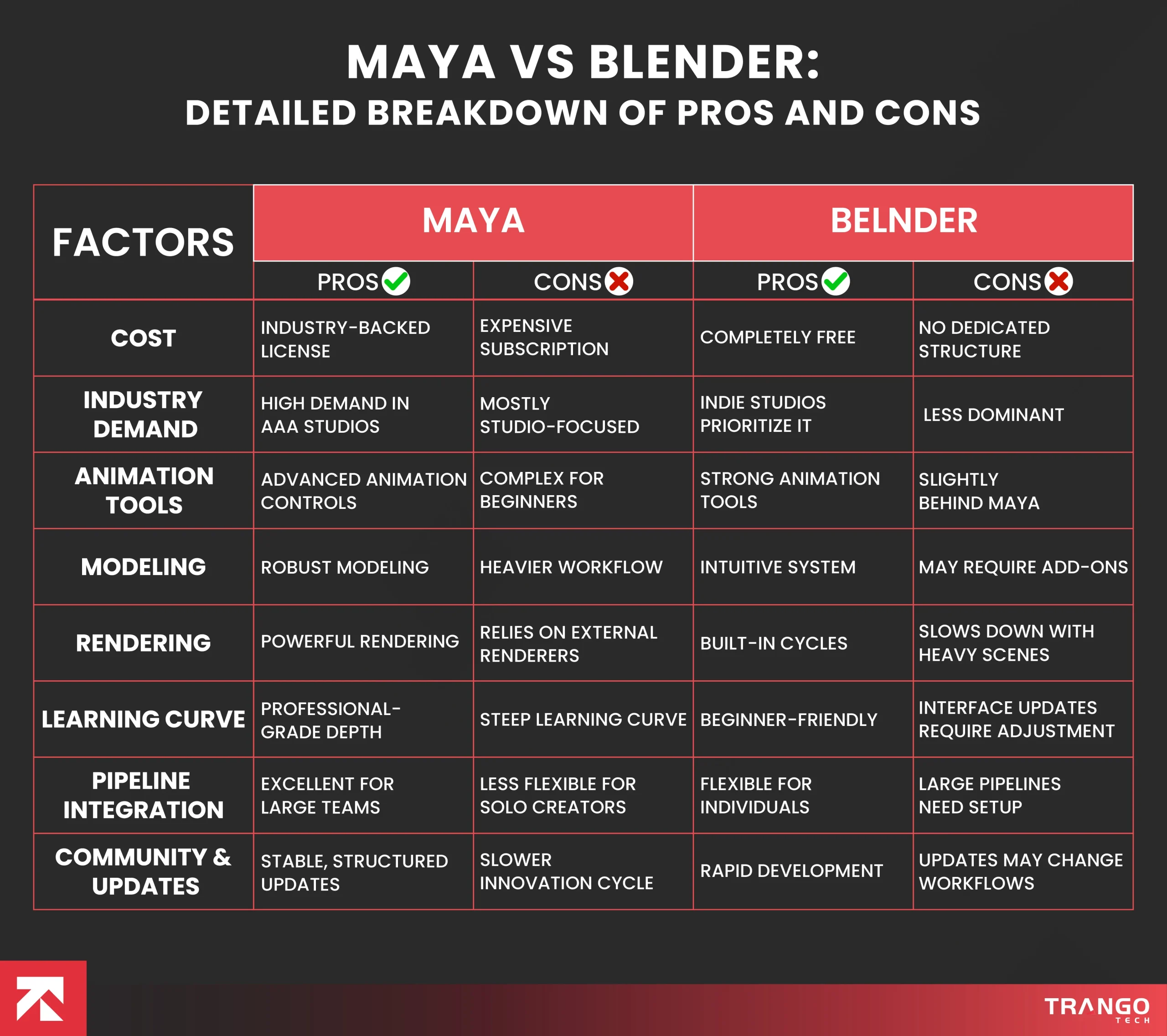
Below, we have broken down the real-world pros and cons of Blender 3D vs Maya:
Factor
Maya – Pros
Maya – Cons
Blender – Pros
Blender – Cons
Cost
Industry-backed licensing
Expensive subscription
Completely free
No dedicated structure
Industry Demand
Strong demand in AAA studios
Mostly studio-focused
Indie studios prioritize it
Less dominant
Animation Tools
Advanced animation controls
Complex for beginners
Strong animation tools
Slightly behind Maya
Modeling
Robust modeling
Heavier workflow
Intuitive system
May require add-ons
Rendering
Powerful rendering
Relies on external renderers
Built-in Cycles
Slow down with heavy scenes
Learning Curve
Professional-grade depth
Steep learning curve
Beginner-friendly
Interface updates require adjustment
Pipeline Integration
Excellent for large teams
Less flexible for solo creators
Flexible for individuals
Large pipelines need to be set up
Community Updates
Stable, structured updates
Slower innovation cycle
Rapid development
Updates may change workflows
Real-World Project Examples
Understanding theory is important and much more important than just looking at features. The real-world stores built through Autodesk Maya vs. Blender tell you a bigger story. Below, I have discussed the most exciting projects done using each of them.
Projects Commonly Using Maya
Bigwigs in game development put into the use of Maya for blockbuster films and AAA games. This is because of the advanced rigging and animation capabilities it possesses. As a result of Maya, individuals have come across high-end games. Moreover, it has a history of being very strong in areas like:
Feature-length animated films
Hollywood VFX productions
AAA character-driven games
Large collaborative studio environments
Big game titles like TEKKEN 8, Sniper Ghost Warrior, and titles from Naughty Dog are just a few built using this.
Simply put, this is integrated with advanced rendering engines and studio pipeline to be a suitable choice for large -scale production.
Projects Commonly Using Blender
With built-in rendering engines, Blender allows solo creators to produce high-quality cinematic results. But primarily, the use of this cutting-edge tool is much more inclined towards the:
Indie animated short films
YouTube cinematic projects
Freelance 3D visualization work
Independent game development
NFT and digital art projects
Blender, so far, has been used for everything from 3D modeling for major titles to developing full games. Notable examples include Yo Frankie!, Sintel The Game, Garn47, and the recent DOGWALK.
Wrapping Up
To be precise, Blender is powerful enough for professional work, while Maya remains deeply rooted in traditional production environments. The best practice is to learn both. You may start with Blender for accessibility and add Maya if your project demands it.
If you are a large-scale studio, Maya offers strong industry credibility and advanced animation systems. On the other hand, Blender empowers indie developers and reputable firms build quality games without financial barriers.
However, meticulous execution is something that deserves your attention more than just software. The real success of your game depends neither on Maya nor Blender; it’s about how you approach it.
For success in game app development, a reputable partner like Trango Tech can make a huge difference. We know what works and what doesn’t in order to build high-performance games based on your app idea.
Remember that both Maya and Blender can create award-winning results. You just need an idea and dedication to shine.
Got an app idea but don’t know where to start?
Pitch your idea with Trango Tech to execute it immediately.
Commonly Asked Questions
Is Maya better than Blender?
The right choice between Maya and Blender varies from person to person. It depends on your goals, budget, and needs. But, overall, Autodesk Maya is a viable choice for advanced animation. At the same time, Blender offers flexibility, affordability, and an all-in-one workflow.
Which software is better for beginners?
To be honest, Blender is generally considered more beginner-friendly. This is because it is a large online community and offers abundant tutorials. In contrast to it, Maya is believed to have a steeper learning curve and requires a paid subscription.
Can I get a job with Blender skills alone?
Yes, especially in freelance, indie game development, and content creation roles. However, for large firms or VFX studios, you should learn Maya to open a window of opportunities.
Which is more cost-effective?
Since Blender is completely free, it become the best and most cost-effective option for gamers. However, Maya may offer you a monthly and yearly subscription. It can feel like a lot for individuals to pay, but it is still affordable for large firms.
What matters more: the software or the development team?
To be honest, both the software and the development team you hire have equal importance. You can’t experience imperceptibly without expertise. At Trango Tech, we know what it takes to build exceptional results regardless of the tool. Our experts leverage the right set of technologies to come up with an enthralling game.
Daniyal is a passionate content writer & editor with 3+ years of experience crafting SEO-friendly blogs, web copies, and marketing content for an mobile app development company. He loves turning ideas into words that connect, engage, and deliver value. Currently working as a Senior Content Writer at Trango Tech, Daniyal holds a bachelor's degree in English Language and Literature.